Multiple CardDAV accounts
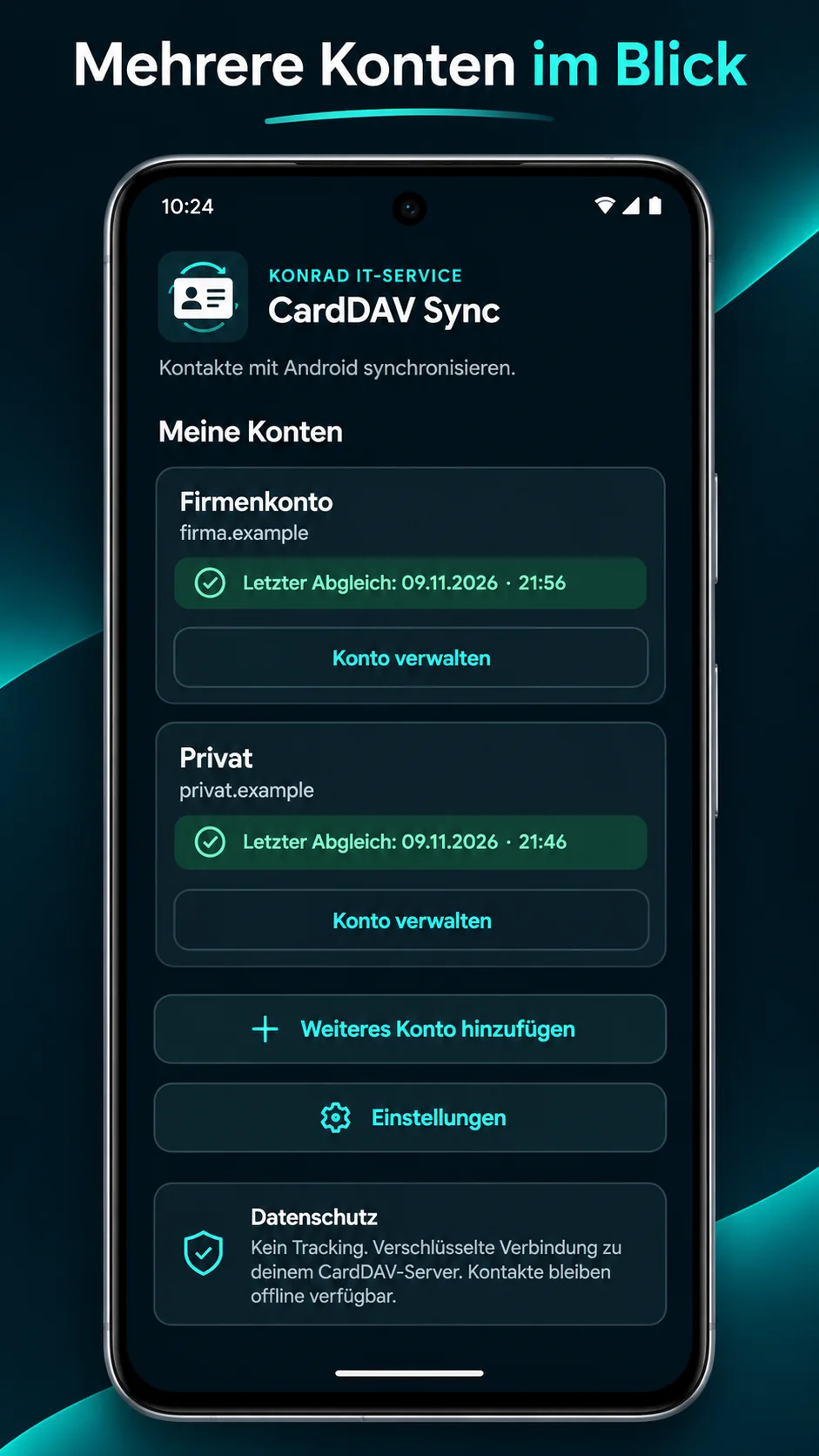
Keep work, family and personal contacts separate. Manage multiple server accounts in one app.
Sync your CardDAV address books with Android Contacts. Personal, professional or both: you decide which contacts to keep in sync.
Contacts that stay with you
Instead of locking contacts into one ecosystem, connect Android to your CardDAV server. The app keeps your selected address books in sync in the background.
Features
Keep work, family and personal contacts separate. Manage multiple server accounts in one app.
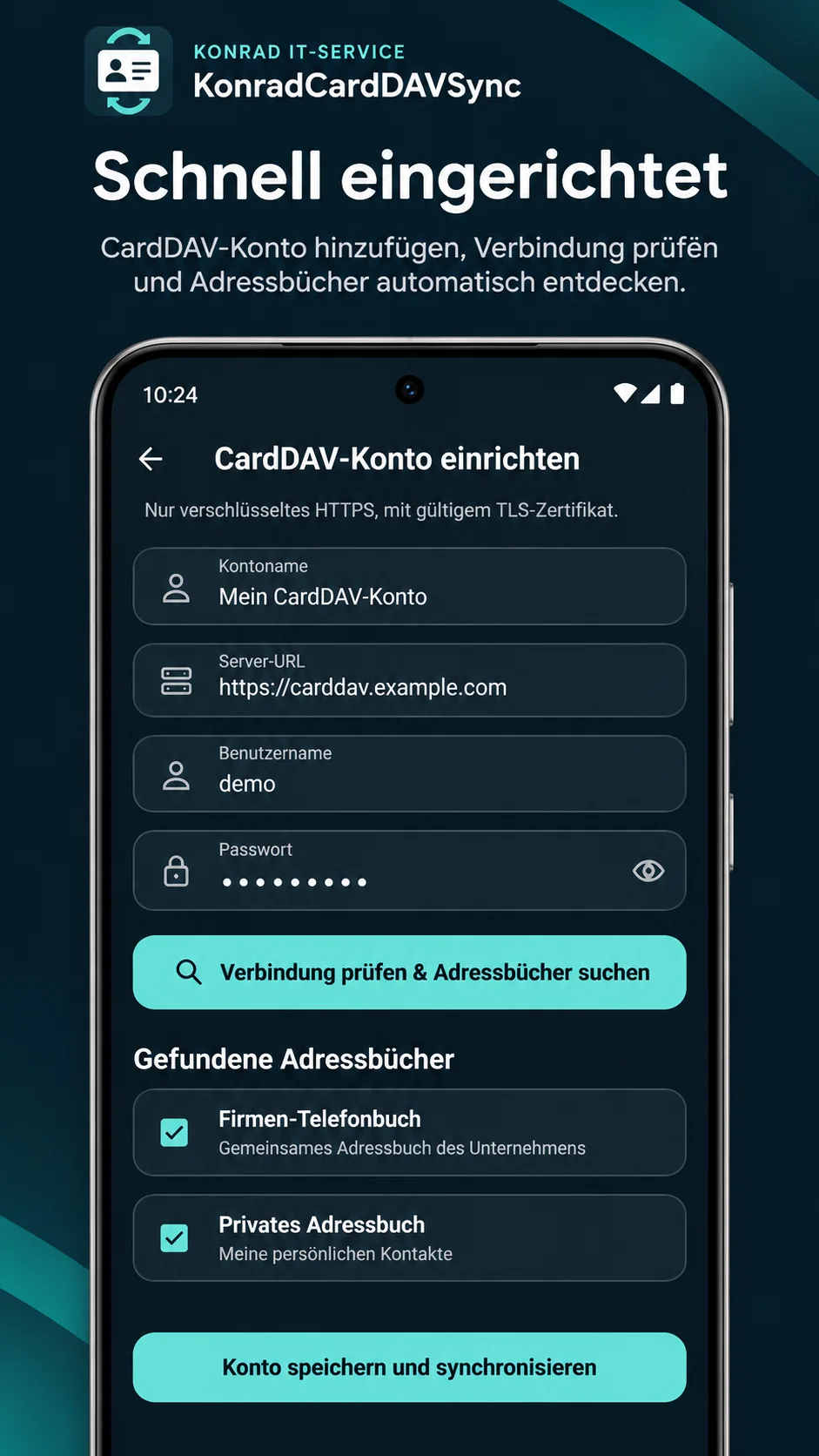
Pick individual discovered address books instead of syncing every contact to your device.
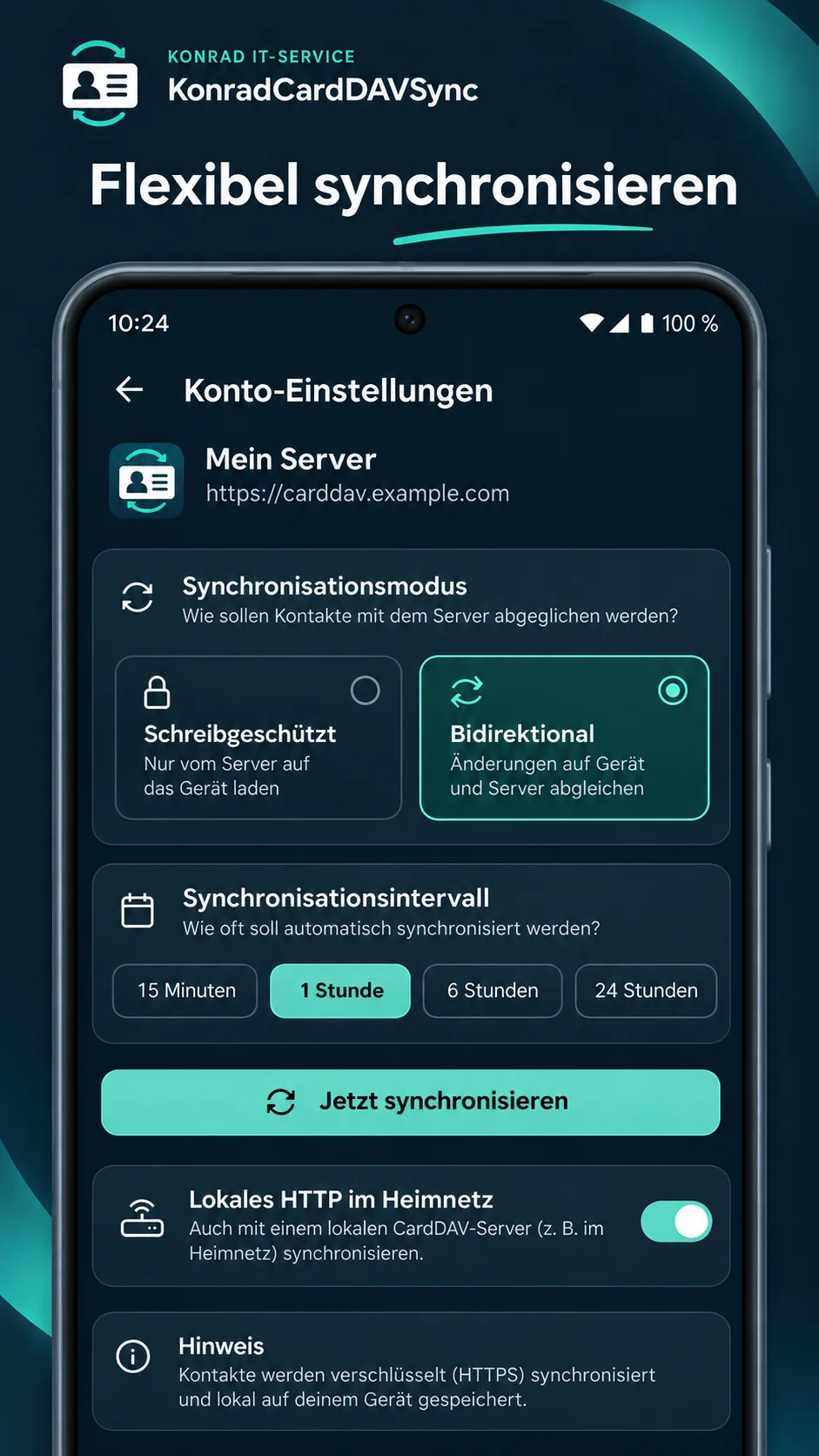
Download contacts from the server or synchronize changes both ways, depending on your needs.
Background synchronization with a configurable interval, plus an option to sync instantly.
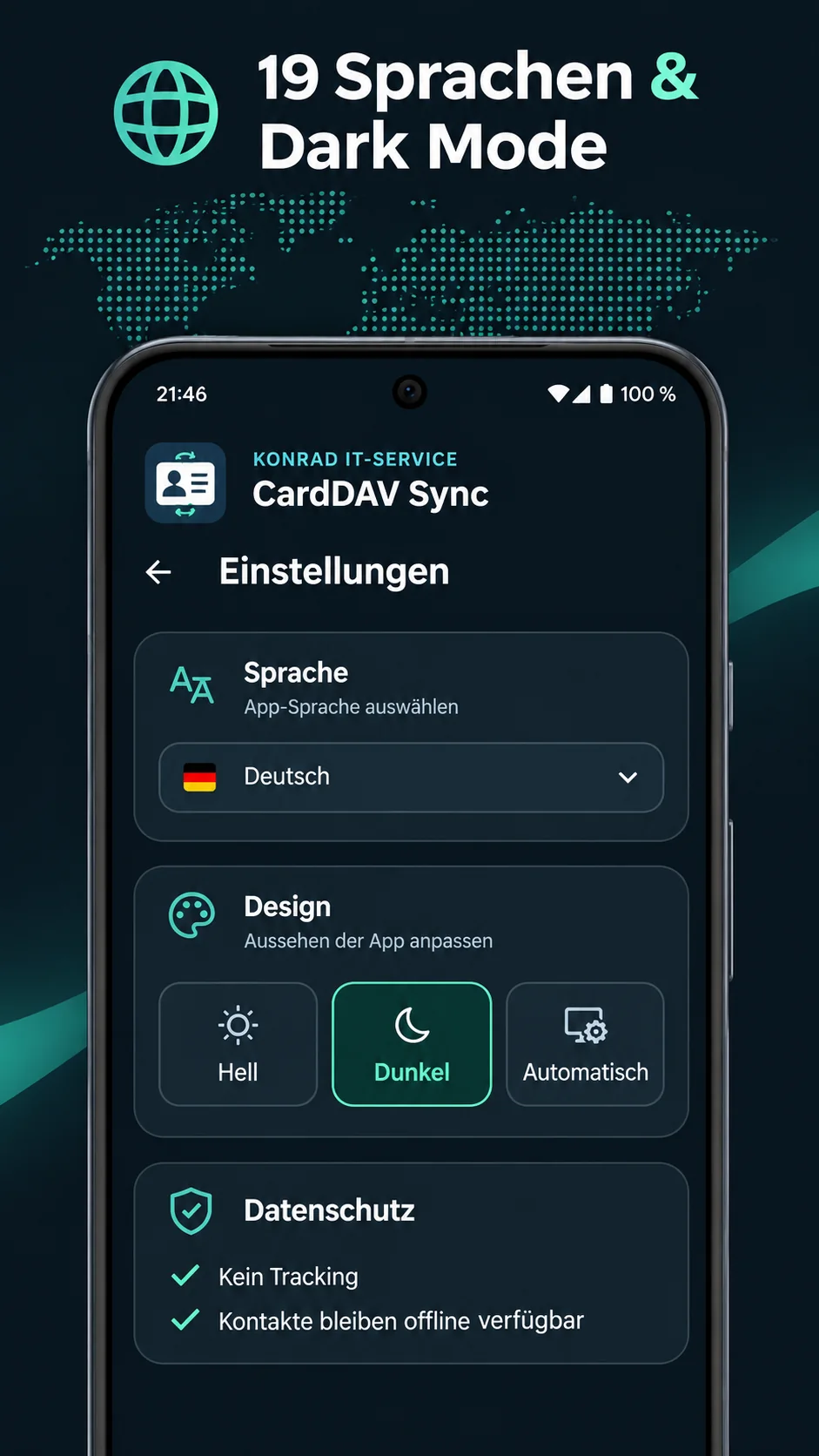
Choose the app language and switch between light, dark and automatic themes.
No tracking, no additional Konrad IT-Service account. Your contacts remain accessible offline.
You stay in control
If an address book is read-only on the server, writing remains disabled.
Download contacts from your CardDAV server to Android. Changes on the phone are not uploaded to the server.
Synchronize contacts and changes between your device and CardDAV server when the server grants write permissions.
Just a few steps
Enter your server address, username and password or app password.
Test the connection, select available address books and choose a synchronization mode.
Sync your contacts and use them directly in your regular Android Contacts app.
The app uses HTTPS by default. You can explicitly allow HTTP for a local server on your home network. HTTP is unencrypted and should only be used on trusted networks.
Frequently asked questions
The app is intended for servers that support the CardDAV standard. Availability of individual features and write access depends on the server.
Yes. Multiple accounts and selectable address books are part of the app, including separate personal and work contacts.
Contacts are stored in Android Contacts and synchronized with the CardDAV servers you configure. Konrad IT-Service does not provide a central contact-data cloud for this app.
You need a connection to reach a remote CardDAV server for syncing. Previously synced contacts remain available offline.
Yes, when you explicitly enable this option. HTTP transmits data unencrypted and should not be used on public or untrusted networks.
Not yet. CardDAV Sync is in development. A Google Play link will be added after publication.
KonradCardDAVSync
Built for Android. No subscription planned. No separate account with the app developer.
Questions? Email us